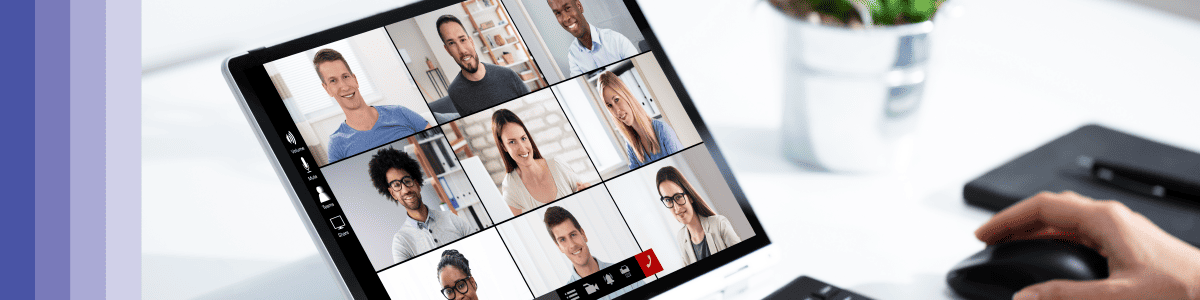

Managing remote teams isn’t easy.
Without the comfort blanket of them always being in the office, you can find yourself worrying about what they’re doing day to day. Then before you know it, you start getting too heavily involved in their work, firing off messages all the time and becoming the dreaded “M” word… A Micromanager!
But it doesn’t have to be that way. You can find a balance that will allow you to monitor remote employees without being a micromanager.
In this post, we’re going to cover:
- Why might micromanaging be detrimental to your employees
- Tips for monitoring remote teams without becoming a micromanager
So that you can be an engaged, thoughtful remote manager without worrying about becoming a micromanager.
Why micromanaging is detrimental to your employees
Micromanaging can sometimes be necessary. There are even times when you need it to get things moving. But over a long period, it will cause:
- Loss of trust
- Lower morale
- A reduction in collaboration
It will also start to wreak havoc on the manager’s health because they’ll soon find themselves responsible for everything. So it’s essential to make sure that you have a way to monitor what’s happening without falling into the trap of becoming a micromanager.
Tips for monitoring remote teams without becoming a micromanager
Now that you’re aware of the detrimental effects of micromanaging a team, these top tips will help you monitor remote employees without falling into the “micromanagement cycle”.
Have a weekly standup
A lack of control can cause people to micromanage. And not knowing what the plans are for the week will only make that worse.
An easy way to get around that is to ensure that you have a team standup at the beginning of the week that covers:
- Tasks outstanding
- Where they are at with it
- What are the priorities
- Where they need your support
Once you’ve done this you should clearly know what they’re doing and where the team will need your support. Which helps you to feel in control of your week.
Offer scheduled check-ins

Having too much contact with employees can be harmful, but not enough can be too! You want to be a point of contact for your team without them feeling like they have to make contact every day.
You can do this by making sure that you have regular 1-2-1’s in the diary. How frequently you organise them will depend on the manager and the team member, but as a rough rule of thumb, any more than once a week is overkill.
If you want to offer more contact time outside of 1-2-1’s, then sometimes having drop-in hours can be helpful. Blocking time in your diary and making the team aware that they can drop in on a video call during these hours can create a pleasant environment to deep-dive into an issue they’re having. It can also stop them from worrying about bothering you while you’re in a meeting.
Use Workplace Analytics to track engagement and collaboration

The worst thing a manager can do is ask for daily work records of every task and meeting they are in. It becomes highly tedious for an employee, especially when some tasks don’t always go to plan and other days are less productive. And let’s be honest, that time wasted sending reports could be spent on more critical tasks.
So instead of requesting records, we recommend supporting your employee’s ability to engage and collaborate using our Microsoft Teams Analytics Tool. Here you’ll be able to gain insight into things such as:
- How long do team members spend in meetings and calls
- How your teams are collaborating and managing their workload
- The behaviours of high-performing teams and underperforming teams
Set a daily focus
Not having clear priorities can cause you to chase people for things constantly. A great tip for avoiding this is to have people set a daily focus and communicate it. Setting a daily focus creates transparency around priorities and lets people know what is being worked on by each team member.
Have clear milestones for tasks
If you’ve got a less experienced team, this is an excellent tip for monitoring their progress on a task without micromanaging.
Scheduling sign-off and check-in points for each task will stop you from feeling like you’re checking up on them as it’s just a part of the process. It also gives them that time away to work on the task by themselves with an understanding of the different milestones when they need to check in with you.
If you’re new to setting milestones we’d usually recommend (at a minimum) having:
- A 5-10 minute briefing call so they can ask you any questions
- A check-in point for 1st review
- A meeting for feedback on the review
- A 2nd review point
- Feedback meeting for final amends
- Final sign-off
Be a coach, not a micromanager
Managers are responsible for their employees and the tasks they do. Whereas coaches are responsible for the development of their team.
It may sound silly, but switching your mindset from being that of a manager to seeing yourself as a coach can have a huge impact on how you manage the team. It’ll change everything from the way that you set a task to the way that you communicate with them.
Supervision vs surveillance
You might think you’re monitoring your remote team just fine. You’re ticking all the boxes by tracking productivity, hosting frequent meetings and checking in regularly to see how they’re doing. But how do you know you’re not overstepping the mark by going from supervision to surveillance?
A report found that excessive surveillance can have devastating effects on the workforce, with 65 percent of workers believing that introducing a new form of surveillance would damage their relationship with their employer. So when monitoring your employees, you need to tread carefully.
The differences between supervision and surveillance
Both supervision and surveillance involve some form of ‘’watching over’’ employees.
Supervision is where you oversee the activities of your employees to point them in the right direction for training and development purposes. You’ll likely be in a video call together to watch their process of doing things, such as answering customer queries in a web chat or dealing with complaints. Either way, your employee will be aware that you’re watching them as a means of helping them.
Surveillance is about continual or continuous watching, sometimes in a way that your employees do not notice. This is done by watching their behavior for things like how long they take to read and reply to messages, checking attendance or even secretly filming them from their screen to see if they’re not working as often as they should be. It was found that one in five companies admitted to installing technology to snoop on staff. That’s a real concern for their privacy, and no wonder it’s causing devastating effects on the workforce.
A healthy balance is being able to provide the practical support that your employees need, while at the same time keeping a firm eye on the overall standard of work. And not to mention, you want to maintain employer-employee trust and respect their privacy.
Let your employees know they’re being measured
Being transparent with your employees is a good way to build trust. A 2019 study found that only 30% of employees are comfortable with their employers monitoring their email. But, this went up to 50% if their employer explained the reasons why they would be monitored.
So to avoid invading their privacy and maintain their trust, it’s best to inform them first about the type of surveillance that will occur, the purpose of it, and the legitimate reasons to justify why you’re doing it.
The last thing you want is to have a new monitoring process in place, and then you realise that your staff are still unhappy with how they’re being monitored. Then before you know it, you’re back to square one.
For the balance to work, you need to continually work with your staff to make sure that your monitoring activities sit right with them. That means allowing your staff to raise objections if things don’t seem right. Such as monitoring them longer than they expected or making unfair judgements based on their activity.
Make sure what you’re tracking is relevant and necessary
If you’re capturing any old data, you’re going to end up making ill-informed decisions on unimportant things or make no decisions at all. You need to capture it with a purpose. But before you start tracking anything, set yourself a goal. This will give you an idea of the type of behavior you need to measure. Let’s say you want to increase sales by 10% in three months. By setting this goal, you know you need to be tracking:
- MoM sales growth
- Activities that drives sales (Microsoft Teams meetings, emails, calls etc.)
You can then use a tool such as Analytics 365 to build MoM reports. So if you notice that sales are dropping, our tool might show you that your team’s average call time has also decreased, which could be the cause for sales dropping. You now have a good reason to tell your team to take more time pitching a product when on a call, as the extra input helps generate more sales.
Reward your staff for their performance
Monitoring can often be tied to managers looking for inefficiencies in their team’s work, which can result in staff being criticized and leave them feeling all sorts of negative emotions. The employer-employee relationships usually go downhill from here.
Instead of just monitoring bad performance, balance it out by also monitoring good performance. And when you notice teams and individuals exceeding expectations, reward them for it. This will motivate them to keep pushing for better results and not feel discouraged when you’re monitoring them.
In any case, the key idea should always be to use data to ask questions, not to judge. If you see behavioral or activity patterns that you weren’t expecting, don’t assume that something bad is happening. Use it as a way to enter into understanding how your people work, and any challenges that they are experiencing.
For example, one key tool in Analytics 365 is understanding your team’s collaboration networks. Are they working with the people you’d expect them to work most closely with? And for your middle managers, what is their management style? Is it what you expected? Is there anyone that they should be spending more time with? Are they spending more or less time than you expect on the phone, in meetings, or chatting? Are your Teams and channels being used effectively, or should there be policy changes, or perhaps training for groups or individuals?
If you see that your team are not performing as you expected, try not to punish them for it. That’s where the supervision comes in. You’re there to give them the right training and support to become the best they can be for your organisation.
Control how often you’re monitoring them
The impulse to frequently monitor your employees is understandable. Sometimes you want the reassurance that everything is on track, or maybe you want to see how the new employees are getting on.. then before you know it, you get carried away. That quick check-up lasts all day and before you know it, you’re basically surveilling them.
It’s easy to picture how the problems unfold from here. The truth is, your employees are your most valuable assets and are expensive to replace. If you show a lack of trust or invade their privacy, you can’t expect to retain them for a long time.
We recommend pulling back on monitoring efforts in areas that are going well. This will communicate trust towards your team, respect their privacy and give you more time to monitor previously neglected areas.
How to monitor remote team performance
Only 7% of employees have continuous performance management. Think about that, 7 out of 100 people have any form of continuous performance management in their current role. This probably means that there are a lot of managers out there who probably aren’t monitoring their team’s performance.
And that study is not looking at remote teams specifically. Remote teams where you typically have less contact time and the comfort of seeing someone hunched over their screen.
With it estimated that by 2025 at least 70% of the workforce will be working from home 5 days a month, it’s going to be critical for managers to find ways to monitor their teams performance remotely.
What is performance management
Performance management is where a manager tracks and evaluates the performance of an employee, providing constructive feedback to help them achieve their goals. Managers should use performance management to do two things:
- Assess the performance of the individual employee
- Create processes and goals which help to achieve the goals of the business.
There should be a focus on nourishing and supporting employee development while ensuring their goals align with the objectives of the business.
Businesses can implement different activities such as weekly one-to-ones and quarterly or annual reviews to evaluate their employees. These meetings will aim to discover:
- Employee efficiency
- Employee goals
- Training needs
- Measuring the success of training programs
- Offering recognition
- Employee motivation
Monitoring employee performance is an essential practice for any organisation as it helps to bring together employees, resources and objectives under one umbrella and ensure everyone is aligned and working together effectively. Without performance management, employees can lose sight of their goals, be left rudderless, and their overall performance may decline.
The four key stages of performance management
Any performance management strategy should contain 4 key stages: Planning, Monitoring, Developing and Rewarding.
Planning: During the planning stage, you are looking to set objectives and define the goals you want to achieve. This can be done for an individual or the whole team, depending on the set goals. You can also use the planning stage to set expectations, such as timelines and the key performance indicators (KPIs) you will use to represent goal achievements.
Monitoring: This is a process where the employee and the manager should be involved. This is the opportunity for managers to schedule regular check-ins in order to assess performance progress and offer additional support if needed. This is also the chance for employees to offer feedback to managers on performance which can be monitored and updated before the main review.
Developing: This stage may vary depending on performance. It is an opportunity for managers to create action plans that either develop their employees further or provide them with more help and support. If an employee is struggling, then the developing process aims to help the individual before any drastic steps need to be made, such as termination.
Rewarding: This is an important stage and can be very helpful for boosting employee retention. Rewards help employees to remain motivated and keep their performance to a high standard – this also helps others around them to be incentivised to work harder if they have not been rewarded. The reward process should be established early on so that employees have a clear vision of what they are working towards and what they can achieve for themselves. It is then more important for managers to follow through with those rewards when they are earned.
Tips for monitoring the performance of your remote team
Set clear targets for each team member. Without a clear idea of what they are working towards, how can employees know what is expected of them? Targets are important for setting expectations and can provide managers with a benchmark for key performance indicators (KPIs) for both individuals and teams. Giving employees and teams a target to work towards means they are more likely to be motivated and engaged with work which helps facilitate reaching their goals.
Set clear, understandable KPIs. If you know what you’re looking for, performance is easier to track and monitor. Having a clear idea of what performance indicators are required to validate good performance means that monitoring performance is easier, and it is then easier to set targets in relation to those KPIs. Examples of KPIs include:
- Revenue growth
- Client acquisition growth
- Profit margins
- Customer satisfaction
Understand successful habits. Knowing what teams are working effectively is just as important as how they work effectively. Understanding successful habits can be a useful tool for planning and monitoring remote performance. If you know the habits that are proving successful, then you can aim to replicate them across the team and further boost performance. With Analytics 365, you can access Microsoft Teams call (link → /features/microsoft-teams-call-analytics/) and chat (link → /features/microsoft-teams-chat-analytics/) analytics dashboards. These dashboards give you insights into what habits your successful employees are implementing when using Microsoft Teams. This offers you further insights into how to replicate these habits across the rest of your business.
Use project management software. Using project management software is an easy way to track and monitor the work that is being carried out by your team and the wider business. They can be especially helpful for remote teams as everyone can access the projects in one place and keep up-to-date on the progress being made or tasks that need to be completed within the project. It is an efficient way to regularly see how projects are performing and can highlight any immediate red flags that need to be dealt with.
Encourage feedback (upwards and downward). Feedback is crucial for making changes within a business. Feedback can come from an individual or a team, but either way, it pays to ensure you have a means of receiving and giving feedback in order to actively improve performance based on the feedback provided internally. Using our engagement metrics (link → /use-cases/employee-engagement/), you can understand how engaged your employees are and provide you with feedback on their Microsoft Teams usage, which can then be used in reports to identify pain points.
Monitor individual employee workload. Managing employee workload is vital to ensuring that they aren’t being overloaded and can work effectively. It also ensures they can complete any training that is required. If their workload becomes too much, they may struggle to fit everything into their day. This leads employees to work out of hours and burn out, making them frustrated and potentially leaving the business. With Analytics 365, you can monitor your employee’s Microsoft Teams usage (link → /features/microsoft-teams-usage-analytics/) to ensure they work within their agreed office hours and aren’t burning out.
Set clear training plans. Setting clear training plans gives remote employees structure and motivation to reach the goals set out in the performance review. This is even more important when working from home. Giving your employees a clear training plan will help them to plan around their workload, avoiding any unwanted stress. It is also important to supervise your team while training remotely. Luckily, we have a post that breaks down how to effectively supervise remote employee training (link → /blog/how-to-effectively-train-remote-employees/).
Incentivise good performance. It pays to reward good performance. Offering incentives for good performance is not only good for employee motivation but encourages them to perform to a higher standard. Rewards also make employees feel appreciated for their hard work and not only helps to keep performance consistent but improve employee retention and loyalty – which is a win-win! Some incentives might include:
- Vouchers
- Work benefits
- Fun gifts
- Monetary incentives
- And recognition awards
How to monitor remote employee wellbeing
Most business claim that they care about their employee’s wellbeing, but how many are actually monitoring it? A poll found that 61% of employers are not monitoring how their wellbeing strategies are affecting their staff.
This means that these companies could be facing a loss in productivity, engagement and retention all because of a few possible reasons:
- They don’t understand how remote work can impact wellbeing
- They don’t see the importance in monitoring wellbeing.
- They’re not sure how to properly monitor wellbeing.
So in this section, we’re going to cover all three of these points and give you a 5-step process to help you successfully monitor the wellbeing of your remote workers.
How can remote work impact wellbeing
Remote working can affect members of your teams in different ways. For some, it has massive benefits, such as:
- Improved work-life balance
- Saving costs on travel
- Less commuting time
- The ability to enjoy their home comforts
- Greater flexibility
But for others, it can impact their wellbeing in more ways than one. Some of these include:
- When workers are separated from their colleagues, some suffer the feeling of isolation and loneliness.
- Remote employees tend to work longer hours, which is a huge contributing factor to burnout and illness.
- They can often find it hard to separate work from home life, making it harder to switch off.
Why it’s important to monitor your employee’s wellbeing
If you’re going to neglect your employee’s wellbeing, over time, their problems are probably going to worsen and eventually, they could end up leaving.
To show you how worrying the situation is, mental health research from Deloitte revealed that the cost to employers for poor mental health has increased from £46 billion in 2019 to £56 billion in 2020. That’s a huge jump year-on-year! It’s clear that employers could do more to monitor and support their employees. But before you can do anything to help them, you need to know how to monitor their wellbeing from the start. So here’s our simple 5-step guide for you to follow:
Step 1: Have the right software in place
If you’ve got a larger team, it’s going to be pretty difficult trying to keep on top of everyone’s wellbeing and understand the problems they’re facing, especially when trying to do so remotely. Luckily there are useful tools that allow you to gain greater insights into how your remote teams are feeling, allowing you to monitor their wellbeing at a glance.
Analytics 365 (link → /features/employee-wellbeing/) is one of those tools. It is an extension for Microsoft Teams that creates custom dashboards to monitor employee wellbeing. With our software, you can understand:
- Usage Analytics – Measure which employees are working out of hours (a huge cause for burnout).
- Chat Analytics – Gain insights into chat sentiments and reactions to understand better how they’re feeling and their pain points.
- Meeting Analytics – See how much time is spent in meetings. Their lack of interaction could potentially be causing social isolation.
- Call Analytics – Ensure they are catching up and regularly collaborating within the business, allowing them to build effective relationships.
Now you’ve got the right software in place, you need to look at some measurables that will give you an indication of how they’re doing.
Step 2: Set some benchmarks
You can’t understand how your employees are feeling unless you know which metrics to measure and what you’re going to compare the results with. Start off by setting out the things that will give you an idea about their wellbeing, such as:
- How much overtime they’re doing.
- The amount of time they’re spending in meetings.
- Their engagement levels.
- The amount of sick days they have.
Now it’s time to start setting some benchmarks to see if their behavior is going to affect their wellbeing. The benchmarks need to be specific, measurable, realistic and timed. As an example, if you want to find out how much overtime they’re doing:
Benchmark: If employees average 35 hours or more overtime from the start of January to the end of January, this is a cause for concern for their wellbeing.
- Specific – We are measuring a specific number of hours for a metric that’s going to be tracked inside a specific date range.
- Measurable – With Analytics 365, our dashboards can tell you which teams are working out of hours and for how long.
- Realistic – 35 hours overtime a month is 8.75 hours a week, which is around the UK average.
- Timed – We’re looking at months worth of data, which can be be compared with other months with the same number of days.
With these benchmarks in place, you have some justifiable reasons to believe their wellbeing is improving or getting worse.
Step 3: Schedule weekly check-ins
You don’t want to be missing out on the things that could be impacting your team’s wellbeing on a daily and weekly basis. Having a weekly check-in is important as this will give you the chance to discover any potential problems much faster. Here’s how to monitor their wellbeing through a weekly check-in:
- Schedule a video call that lasts around 30 mins.
- Avoid asking questions directed at their wellbeing, such as ‘’are you feeling burnt out this week?’’ There’s a good chance they’ll be put off by these questions and not answer them truthfully.
- Instead, keep it casual and keep the conversation flowing with easy questions, such as ‘’hows your week going?’’.
- Make it relatable. Tell them when you’re feeling stressed or tired at work. If you’re open about your feelings, they’re more likely to open up about theirs.
- Look and listen carefully to their tone of voice and facial expressions. Do they look tired? Does their tone of voice sound different to what it normally does? These are key areas for you to get an idea on how they’re feeling.
- Take some notes AFTER each call about the meeting. This will allow you to spot if it is a consistent problem or just a momentary lapse.
If it seems like your employees are sensitive about discussing their wellbeing, don’t worry. It might just take some time to build enough trust for them to open up to you. Especially if they’ve never met you in person or they’re a newer member of staff. To get around this, it’s worth sending out a questionnaire that gives them a chance to answer these questions anonymously in their own time. This will feel less intrusive and could give you the insight you want. This takes us on to step 4.
Step 4: Send out a Workplace Wellbeing Questionnaire
We recommend sending out a Workplace Wellbeing Questionnaire each quarter. If you’re not sure what questions to ask, here is a Question Bank for you to pull some ideas from.
Make sure to let your employees answer anonymously, if they feel like they could be seen negatively for highlighting their issues, they are less likely to be honest.
When your employees return the questionnaires, don’t just give them a quick read, tally up their answers in a spreadsheet. For a question such as: ‘’During the last 12 months, have you felt unwell as a result of work related stress?’’ If out of 50 questionnaires, the majority of your employee’s answer ‘’yes’’ then you know there’s a wellbeing problem at a team or organisational level. Even if only a few people answered yes, keep an eye open because there’s nothing to say that this could quickly rise by the time the next questionnaire is sent out.
Step 5: Create some reports
If you’ve managed to collect 6-12 months of data using Analytics 365, we would suggest creating reports (link → /features/microsoft-teams-reporting/) to get a solid understanding of how your team’s wellbeing has changed throughout the year.
If you want to go a step further, use your results from the quarterly questionnaires and compare them with the reports. If you notice that the results from the questionnaires don’t quite match up to the reports, then there’s 3 potential reasons:
- Trust needs to be built for them to give you truthful answers.
- You might need to reconsider the questions you’re asking.
- You’re not understanding the correlation between their behavior and answers.
Summary
Managing remote teams isn’t easy. Without them being in the office, you can find yourself watching what they’re doing daily, which leads you to micromanage them.
As a result, this will cause a loss of trust, lower morale and a reduction in collaboration.
Instead, you want to strike the right balance to monitor remote employees without being a micromanager. To avoid falling into the “micromanagement cycle”, we recommend:
- Having a weekly standup
- Offer scheduled check-ins
- Use workplace analytics to track engagement and collaboration
- Set a daily focus
- Have clear milestones for tasks
- Openly communicate to avoid misunderstandings
- Be a coach, not a micromanager