

An article by The Home Office Life stated that more than half of the working population only started working remotely since the pandemic.
For many of the younger generation, it’s all they’ve ever known. For most managers, however, this is still new and represents a small portion of their working life.
And yet we expect managers to be able to effectively train their team with little to no support or training on how to do it themselves. Even though training a remote team is wildly different to training one that’s coming into the office 5 days a week.
If that doesn’t quite sit right with you, then you’re in the same boat as us and that is precisely why we’ve pulled together this guide on how to effectively train remote employees.
In this post, we’ll provide managers with the tools they need to supervise employees effectively through their training while working remotely.
Common Challenges When Training Remote Employees
Lack Of Face-To-Face Contact
A lack of face-to-face contact when training leads employees to struggle. It is possible that without supervision, employees may not apply themselves as much or take in training as effectively.
Potential To Become Distracted
Remote working can be a minefield of distractions. Even the most minor thing, like a knock at the door, can be the difference between someone remaining focused or not. Often not having someone next to you throughout the day to monitor productivity can make employees more relaxed with their work or training leading to them becoming unmotivated.
Delayed Help And Support
Unfortunately, the process of asking for help when working remotely can be delayed for a number of reasons like new starters not wanting to be a burden and a lack of contact time. All of these can have a negative impact on an employee’s training experience and may prevent them from asking for help in future.
Feeling Isolated
It is easy when working remotely to get into your own bubble of work and forget about the social aspect of your job, but it is one of the most important parts.
Many employees report missing casual social interactions with their colleagues, with 67% of workers aged 18-34 saying they have found it hard to make friends and maintain relationships with work colleagues when working remotely.
The feeling of being isolated can have a hugely negative impact on their mental health and then begin to negatively impact their work.
Technical Issues
Despite the wonders of technology, employees can often struggle with technical issues that are out of their control. When working remotely, these issues can be amplified, as they don’t have access to immediate help or guidance when things go wrong. This can dent productivity and cause frustration for the employee.
Not Having A Set Plan
Not having a set plan or schedule in place for training purposes can make it difficult for the employee to prioritise workload and training. A well-thought-out training plan will mean employees can make sure they make time for the sessions, which will likely result in a more effective and impactful training session.
Finding Dedicated Time
When working remotely, finding times for checking in and development to suit everyone can be difficult, especially as you can’t just ask them face-to-face. This can mean that employee training gets pushed back and forgotten about, which can cause employees to miss out on vital training that they will likely need in the future and thus will further impact the quality of their work.
Accessing The Right Materials
Having the right materials is essential to the success of a training program. Without the right materials, employees may find it harder to engage with the training sessions and take on the information.
The Difference Between Supervision And Micromanagement
There is a very clear difference between supervising and micromanaging.
Supervising is about setting a direction, stating expectations and offering support when needed. When supervising, you are not there to do the work for them but more to mentor and offer guidance when it is asked for.
Micromanagement is when you begin taking over small tasks and projects based on your own ideas and does not allow employees to use their initiative to complete tasks.
It is important for employees to feel they have some element of independence and trust when completing tasks, but it is just as important for employers to make sure they are supervising their work effectively and professionally.
How To Effectively Train Remote Employees (Step-By-Step)

It is important to know that every individual learns differently, and although you may not be able to please everyone, it is important to gather feedback from employees during training to understand which method works best for them and try to adapt where possible.
There are three types of training methods which will have varying degrees of effectiveness for individual employees, the three methods are,
- Synchronous learning is where an instructor or teacher will lead the class in real-time, whether virtually or in person.
- Asynchronous learning is when the employee is given training to complete it in their own time.
- Blended learning this is simply a combination of the two, otherwise known as hybrid learning. This can be great for giving employees time to learn independently and have regular contact time with instructors.
2. Have The Right Tools
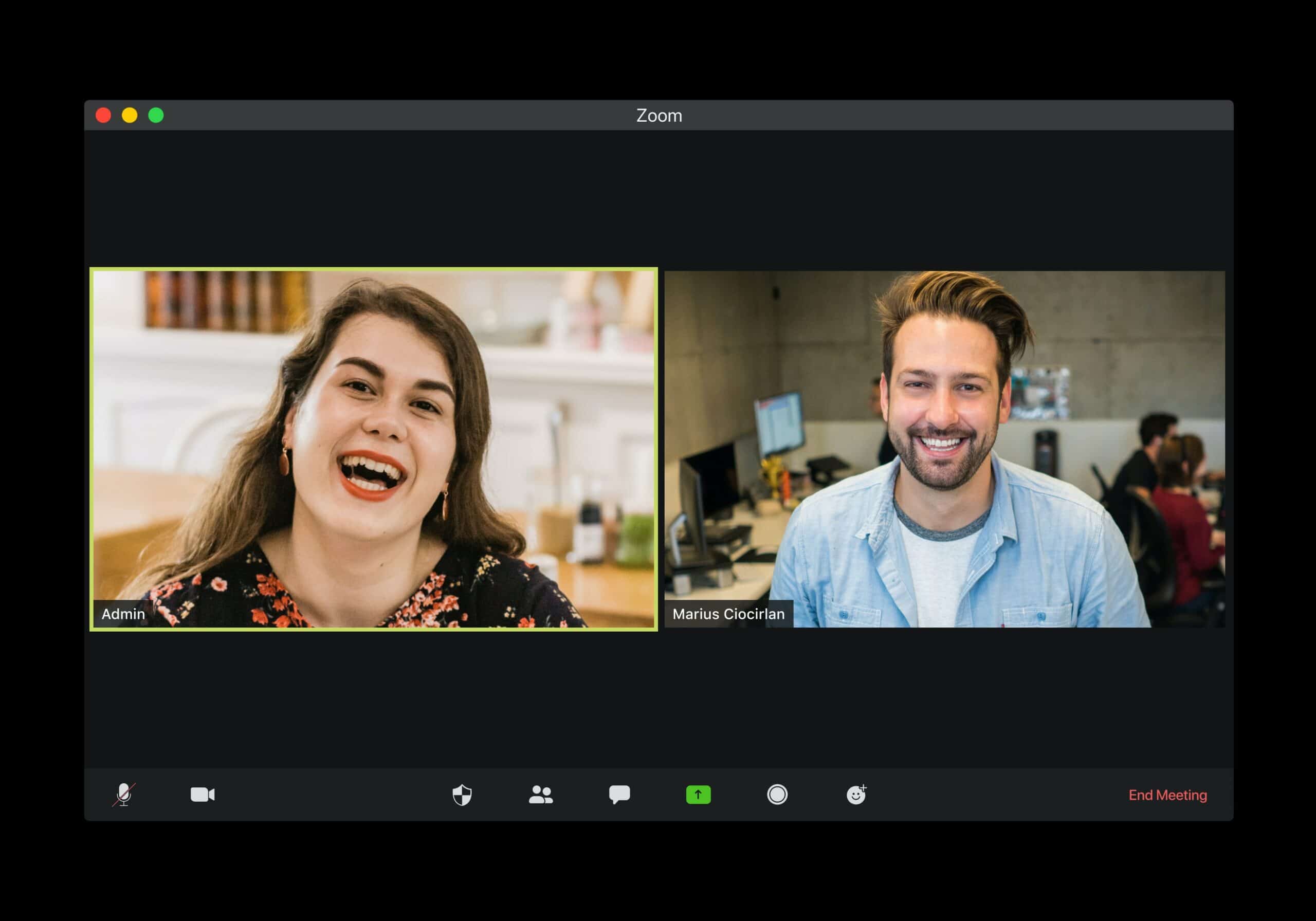
As well as knowing what type of training you want to do, you should also ensure you have the right tools in your tool kit to effectively deliver those training sessions.
The right tools help you to get information across, which can also make it easier for you to implement training sessions and ensures the sessions are effective.
Some of the tools you might choose are,
- Video conferencing software (Teams etc.): When working remotely, video conferencing tools are invaluable. It allows employees to receive face-to-face interaction even when not in the office. These tools also allow for more collaboration among teams which is even more beneficial during the training process as it encourages them to ask questions, discuss problems and find solutions.
- Learning management systems (LMS): A learning management system is great for storing learning resources and tracking employee progress. Improving the accessibility of your training resources will help to improve the productivity and efficiency of training, helping your employees to get up to scratch with training much faster.
3. Create Your Training Materials
It’s important to create the right type of materials for your team.
It’s easy for most people to simply create a PowerPoint and then read off the information without considering who the training is for and how they might learn best.
The training materials you choose and how you create them can be the difference between your employees retaining the information you’re giving them or not – and if they’re unable to retain any of the information, then you’re wasting any effort put into the sessions.
The most common way people share training materials is via presentations or PDFs, but if you have the resource – videos or screen recordings can be incredibly helpful and far more engaging and impactful for the trainee.
4. Train Your Team
Once you’ve established what you’ll need and how you’re going to go about training your employees remotely. You now just need to start. Put time aside in both your and your employee’s calendar to complete these training sessions and begin working through the training program.
5. Monitor Their Progression And Offer Support Where Needed
One of the most important steps during any training program is monitoring progression. What you decide to track may vary depending on the outcome goals of the training, but either way, tracking progression during their training is helpful because you’ll be able to see if they’re struggling or falling behind.
It is also important to have the facilities in place to offer further support and guidance where needed. Support might look like:
- Extra training sessions
- Going over previous materials
- Short 1-2-1s catch ups
- Slowing down the training program
Our Top Tips For Training Remote Employees
Here are some of our top tips to help train your employees remotely and how you can use Analytics 365 to support their training.
Schedule Regular 1-2-1 Meetings
Regular 1-2-1s are a great and easy way to catch up and allow employees to ask any questions they might have. It also provides managers with the opportunity to assess how the employee might be feeling and gauge if they are in need of extra support.
Track Employee Workload While Training
Even when training, employees may still find they are being handed their usual amount of work, which may pile up while training if not monitored regularly. They can also be expected to attend virtual meetings that can eat into their working day.
In this case, it is important for a manager to monitor their workload while training to ensure they are not being overworked and cannot complete the training, resulting in them working out of hours to complete other tasks – which is not to be encouraged.
You can use review usage to understand when your employees use Microsoft Teams. Meaning you can spot if your employees are working out of hours, which can often be a sign that they are struggling with their workload. Analytics 365 also use metrics such as meeting time, chat sentiment, and team collaboration. Which all help to gain a better understanding of how your employees are using Microsoft Teams and in what capacity.
Encourage Collaboration Where Possible
Sometimes when training remotely, employees can feel isolated. It can benefit everyone by encouraging collaboration and offering support to new employees in their training. For employees in training, communicating with those in the same position can be great for helping them feel less isolated and more like they’re part of a team.
With our Chat analytics and Call analytics, you can understand how often employees communicate using Microsoft Teams and understand if you need to push for more collaboration within your teams.
Here 3 steps to encourage and improve team collaboration:

- Use the ‘Collaboration Network Card’ to understand who your teams are collaborating with. Are there people you would expect them to spend more time with?
- Take a look at the ‘Collaboration Trends’ card to see how your teams work together over time. Peaks and troughs in activity might be expected for heavily project-based environments, but in other environments might be a cause for concern.
- Check out the ‘Collaboration Summary’ card to see how your people collaborate through calls, meetings and messages. If they’re spending more time than you expect in meetings, or less time talking with each other than you thought, perhaps some guidance is needed.
To get the most out of these insights, discuss them with your team. By exploring it together, you will increase your chances of making changes that are meaningful and manageable for the long term.
Remove Unnecessary Meetings
Along with their day-to-day work and training, new employees are often also asked to attend a number of onboarding meetings. Unnecessary and unplanned meetings can be a big disruption for an employee’s day when they might have more high-priority tasks to do, so it is important to not just plan meetings but recognise if they are needed or if a simple email will suffice to ensure a productive day for everyone.
With meeting analytics, you can see how often your teams are in meetings and determine which ones could be condensed into emails to save time.
Analytics 365’s meeting analytics insights can help cut down on wasted time and improve team collaboration. Here are three simple steps to spot the use of unnecessary meetings
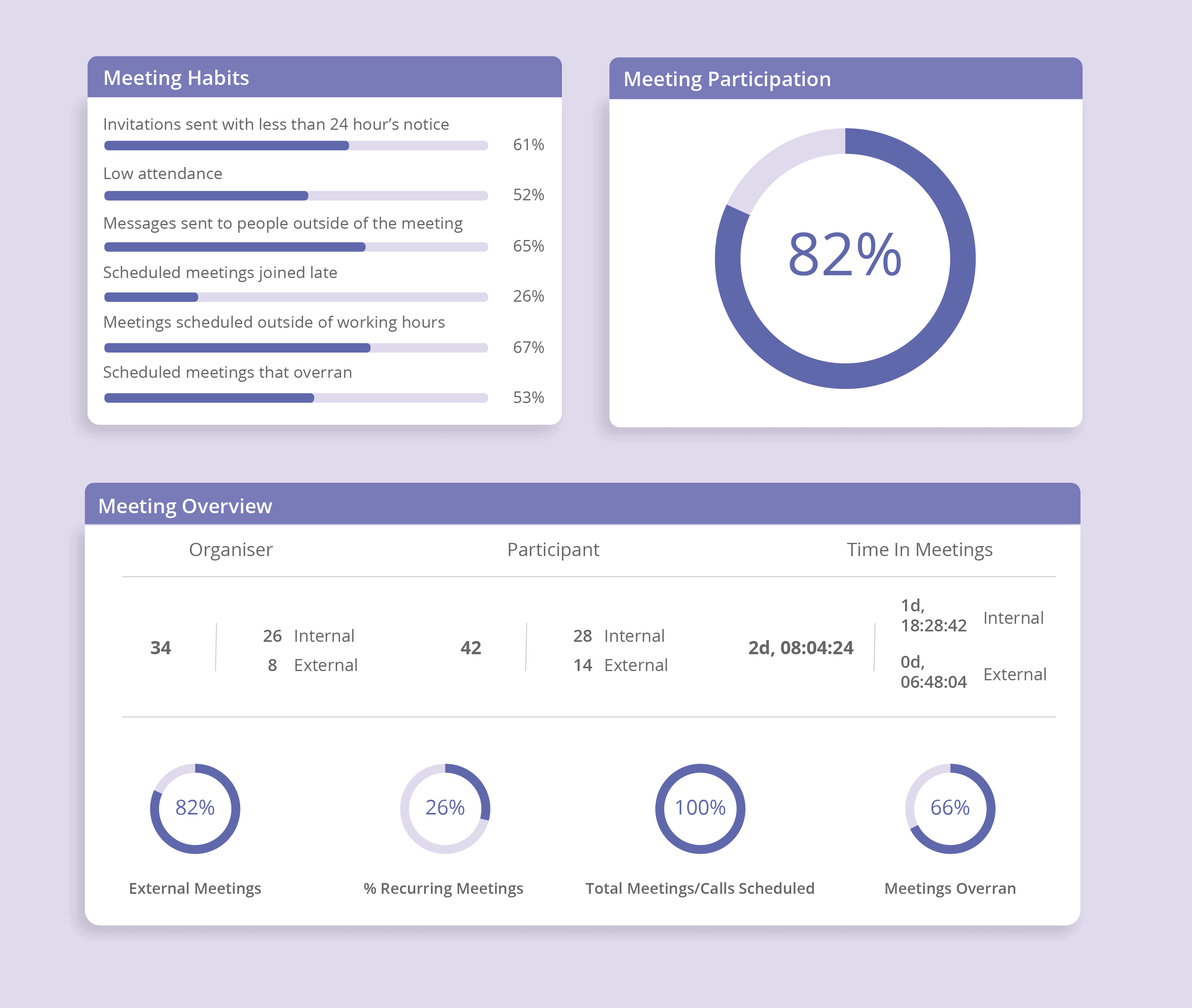
Step 1: Use the ‘Meeting Habits’ card in Analytics 365 to understand meeting discipline. If new employees are invited to meetings that are scheduled with little notice, or where they consistently overrun, it sets a poor example for them moving forward and can create a culture of poor discipline.
Step 2: Review meeting activity with the ‘Meeting Overview’ card to understand meeting habits, time spent in meetings, and the number of external meetings versus internal meetings. This information can be used to assess wellbeing and employee engagement.
Step 3: Cut down on unnecessary meetings by using Analytics 365 to highlight attendance, talk time, and frequency. Use the data to identify which meetings are important and which ones can be cancelled.
Using Analytics 365 to monitor meeting activity is an effective way to use data to improve collaboration and communication among your team.
Onboarding a new remote employee
In the age of remote onboarding and working becoming the norm, companies are rapidly having to adjust to ensure that new hires settle in seamlessly and have everything they need to succeed.
We know that a good onboarding is critical for the success of your new hires. Having a clear process in place is very important and when it comes to remote onboarding your new employees need to feel comfortable and confident from the get-go.
Regardless of your company size and the roles you are onboarding, the following recommendations in our guide to onboarding remote employees can help you to successfully onboard new employees.
Why onboarding is important
Starting at a new role is always daunting for employees, perhaps even more so when done remotely. Without the immediate face-to-face contact, some employees may feel distanced and struggle to make connections with their colleagues. A seamless onboarding process for your new remote employee is essential for their engagement, happiness and to acclimatise them to the role.
An onboarding in which new employees can receive appropriate training, be introduced to their peers, and fully immerse themselves in the company will lead to them settling in much quicker, and overall being much happier in their initial few weeks in the role.
The 4 phases of remote onboarding
When beginning to think of your remote onboarding strategy, the process can be split into the four key phases below. Following these phases will ensure that you have a good onboarding process that will benefit your new employees and the wider company.
Admin: Prior to an employee starting, there are certain tasks that need to be completed to make sure that they can hit the ground running and have everything in place ready for them. When starting a new role, it is reassuring for employees to know that a company has prepared and anticipated their arrival.
Once someone has been hired, it is important to assign them a main point of contact at the company – someone who they can come to with any queries, and to put any worries to rest. This contact should also be the person who can mentor them during the first few weeks in the role; a new job brings lots of questions and having someone on-hand to offer friendly and helpful advice is priceless.
Prior to an employee’s start date, make sure that they have all the technology they require to start the role and access to their onboarding program on their first day. This may require sending out hardware and setting up any software they may need. If any of these elements are likely to require training, this should be carried out as a priority on their first day.
Training: Once the initial admin phase is complete, the next phase involves training new employees to make sure they are well versed for their new role at your company. During this phase it’s essential to:
- Outline their daily responsibilities
- And the tools they will need to fulfil these responsibilities.
It is likely that you will already know their skillset and experience prior to hiring them, so each new employee’s training may need to be bespoke and relevant to them.
Training a new employee well within their onboarding will give them confidence to get started and will reduce the risk of error. It may also mean that less training is needed further down the line when they are more established.
It is often useful to have this training content available in different formats, and available on-demand so that they can re-visit training as and when they need to whilst carrying out their role.
Introductions: Typically, if an onboarding were to take place in an office environment – meeting colleagues and building relationships happens in a much more natural, organic way. In a remote environment, more care needs to be taken to ensure that introductions are made, and relationships can be built. At a bare minimum in this phase employees should be introduced to:
- Their fellow team members
- The senior leadership team
- Key stakeholders from outside of their direct team
Your new employees should have strong connections with their immediate team as a priority, but it is important not to forget the wider teams that they may work with less frequently. Having a network of their core and broader network will allow for a more successful long-term career at the company and contribute more to their overall understanding of the business.
Acclimating them to the company: Every company is different and has its own culture for employees to adjust to – it is vital for new employees to learn about the company’s culture, values, and expectations from the outset. In a face-to-face environment, this may be more obvious for them to pick up on, however in a remote environment, it is important to take the time to teach your new employee these things about the company. Having an open forum for your new employees to ask questions and gain this insight will be beneficial in both the short and long term.
If your company has rules and regulations that must be followed, you must teach your new employee about this during their onboarding – getting started on the right foot will reduce the risk of mistakes being made and add to the confidence of your new employee.
10 top tips for onboarding remotely
- Ensure the correct resources. We’ve all been there, haven’t we? Where you spend more of the first week on the phone to IT than you do doing actual work. If employees aren’t properly set up on their computers and don’t have access to the right software and programmes, it’s hard to make a fast start. That’s why it’s vital to make sure you’ve got everything installed before they start and there’s enough time spent making sure they know where everything is and how to find it.
- Company introductions. Starting a new role is always daunting, especially as you will be expected to work with many new people. This is amplified when working remotely, and employees may feel isolated and feel uneasy about approaching their colleagues if they haven’t been introduced. When remote working, please don’t leave your new employees studying the company organisation chart, trying to figure out who to email! Introducing your new hires to both immediate, and wider teams cannot be underestimated and is incredibly beneficial. This will put them at ease and allow them to create lasting relationships with their colleagues – that will help them both professionally and personally. These introductions can be made in a formal and informal setting, it is best to set up some meetings throughout their first few weeks to meet all their colleagues and gain some insight into their department and responsibilities.
- Clear access to online assets. When starting at a new company, it is often hard to navigate new online portals to find the assets you need to carry out your role or find onboarding assets. Admit it, how much time have you spent during your induction lost in the minefield that is a company intranet? Having a guide or some clear instructions on how to access the necessary online assets can make your new employees lives so much easier and allows them to have quick access to everything they need.
- Involve them in social events. Remote working can be a lonely place, especially for new starters – having social activities that aren’t related to work will improve their remote onboarding experience and make them feel comfortable much more quickly. Knowing that your new company has a strong social scene will allow your new employees to settle in and adjust to the new company culture. Social events are one of the best ways to integrate new employees into your company, and to boost their relationships with their colleagues. The more relaxed and fun environment allows your teams to get to know each other on a personal level – which in turn will boost their performance in a team setting at work.
- One-on-one chats. Starting a new company remotely can be daunting and at times isolated, having time scheduled to speak with colleagues on a one-on-one basis can be very beneficial. Team calls, whether informal or formal are great, however it can be difficult to speak up and get to know people on an individual basis. Speaking to their colleagues on individual video calls allows them to connect on a closer level and will mean that they find them easier to approach in the future, as it is often hard for a new employee to reach out to someone they have only spoken to in a team environment.
- Create a development roadmap. Development is often the reason for people changing companies, starting your new employees out with a clear development roadmap will help them feel reassured and know they are on a clear career path. This development roadmap may include clear milestones, key performance indicators and tasks that need to be completed. Although these are typically more long-term goals, they will improve the mindset and motivation of your new employee.
- Structured check-ins. Feeling alone and unstructured during onboarding, especially when working remotely, may lead to a negative experience for your new hires. They may feel like they aren’t being properly supported and feel like they are unable to ask questions. Providing a regular check-in time can put a new employee at ease and will give both you and them chance to feedback and ask important questions. This is vital to establish a clear channel of communication and resolve any issues quickly and effectively. Structured check-ins are great when working in a busy, fast-paced environment. They allow the new hire to constantly ask questions as you go and having time set aside makes it easy for them to prepare questions and feedback.
- Encourage emotional support. Employee wellbeing is very important for your people and your company. Preventing stress and promoting a positive workspace must be a key consideration in your onboarding strategy. Offering your new employees emotional support and encouraging supporting others on a companywide level is vital.
- Integrate company culture. A new company is often a learning curve for new employees, the main thing to adjust to is often company culture as this is usually the thing that differs the most. Integrating company culture into the onboarding process means that they will learn quickly and feel comfortable in their new surroundings, even though they are working remotely. Making employees understand how they contribute towards the company’s culture and end goal can benefit their career development, can make them feel more engaged with the company.
- Set clear expectations. If employees aren’t aware of what’s expected of them in terms of behaviour and performance, it will be hard for them to complete tasks to the standard expected of them. This can be particularly important to rectify early on… as we all know the first few weeks are when you want to impress your new employer the most! An employee spending time during their onboarding being unsure of expectations and tasks, can lead to them feeling uneasy and unsettled within the first few weeks. If this were to continue, it could lead to problems further down the line. That’s why it’s important early on to provide new employees with a list of expectations, tasks, goals, and the performance indicators to achieve. Transparency at this stage means that your employee can get started quickly and perform tasks to the standard expected of them right from the start – this is a win-win for both employer and employee and will contribute to a great onboarding.
So those are some of our top tips to make sure that you effectively onboard new hires. Some of it may seem obvious but sometime the simplest things are often the hardest to do. And with the price for failing to onboard a new employee being:
- Lower engagement
- Lower productivity
- Steeper learning curve
- And a higher risk of them quitting
It makes sense to apply a little more time and effort into implementing some of our tips for onboarding remote employees.
Summary
To effectively train your employees can be a challenge, especially when working remotely.
Some things to remember before you start your training program include,
- What type of training method will you use, and is it right for the employee?
- What tools will you need to present the information?
- Have you created the right materials for your specific training program?
- And how are you going to monitor the success of the training?
Once you have established the foundations of the training program, you are ready to start teaching employees the ropes so that they can be the best at their job.
During a remote employee’s training, as a manager, it is still important to keep up to date with how they are dealing with training and ensure that they are able to still keep on top of tasks outside of training. Some tips to help with this are,
- Regular 1-2-1s
- Track workload
- Monitor progression throughout the training with specific KPIs
- And make sure any extra meetings are planned and necessary.