Quality Assurance

Automate QA to Evaluate Every Interaction and Drive Better Performance

Analytics 365 transforms quality assurance from a costly, manual process into an efficient, data-driven strategy. Our platform eliminates human bias and ensures 100% of conversations are evaluated, so you can coach agents based on a complete view of performance.
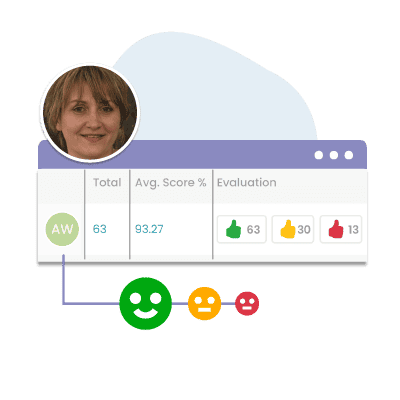
Evaluation Trends

Our Solutions Are Trusted By Businesses Worldwide

Nissan Logo
SSAFA logo
Make-A-Wish logo
St Catherines Hospice logo
Osotspa logo

How Analytics 365 Works

Seamlessly integrated with Microsoft Teams, Analytics 365 captures all conversations. It uses advanced artificial intelligence (AI) to transcribe and analyze key interaction points, generating automated quality scores based on your customizable criteria. This feature allows you to focus resources on data-driven process improvement and coaching, instead of manual evaluations.

Looking For The Call Recording Control Extension?

Download the Call Recording Controller App to pause, resume, and discard recordings made with Analytics 365 Call Recording and Conversation Analytics

Call Center Quality Assurance Software

Boost Agent Performance and Customer Experience with Intelligent Call Analysis

Rate Sentiment For Every Call

Evaluate Every Conversation with Unbiased Auto QA

Automatically score interactions against targeted, criteria-based questions covering areas such as agent conduct, script adherence, problem resolution, and policy compliance. Customisable scorecards ensure you can focus on what is most important to your business goals, with different question sets applied automatically based on call category.

Gain Insight Faster to Minimize Business Impact

Take action before customer service is impacted. Automatically flag calls that require immediate attention based on sentiment or topic mentions, delivering detailed insights for focused coaching.
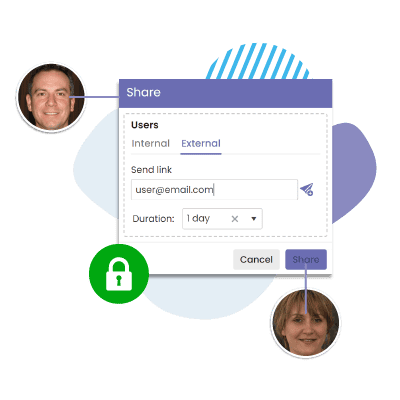
Secure Data Protection
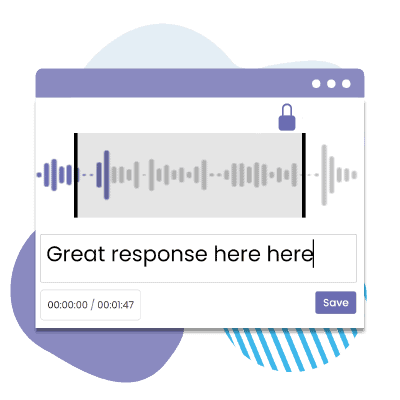
Highlight Calls

Flexible QA to Support Any Process

Our platform supports both manual QA and AI-driven automation. Use customizable scorecards to define and apply comprehensive quality standards, including agent conduct, script adherence, and compliance. Supervisors can efficiently review flagged calls and apply manual evaluations where required.

Identify Trends and Training Needs

Leverage historical and real-time QA data to uncover knowledge gaps, recurring issues, or operational inefficiencies. Deliver targeted training that boosts overall effectiveness and operational excellence.
Find Out How Analytics 365 Can Transform Your Business

If you are interested in one of the Analytics 365 solutions and would like to find out more, request a demo today to explore how our platform delivers insights that empower your business to improve team performance, ensure compliance, and enhance customer engagement.

Setting Up Analytics 365 Is As Easy As 1, 2, 3

Step 1

Choose your plan.

Step 2

Grant permission to sync your data.

Step 3

Explore your insights.

Explore Real Feedback, and Discover What Analytics 365 Can Do For You

customer picture

“Analytics 365 has been invaluable. It has helped us to enhance our collaboration and communication which in turn positively impacts our performance and productivity”.

Pajaree Saengcum
Head of Digitalization

Osotspa logo

Call Recording with Conversation Analytics Plans and Pricing

Empower teams with workplace analytics driven by Microsoft Teams. Collect and analyse user data to boost productivity and increase collaboration within your business.

Essentials recording and analytics

From $7.00 / user

Ultimate recording and enhanced AI powered analytics

From $26.95 / user

Frequently Asked Questions

The quality assurance capabilities let you evaluate every Microsoft Teams call recorded by Analytics 365 Call Recording with Conversation Analytics. After each call, AI transcribes the conversation and scores it against criteria you set, so every conversation is evaluated rather than a small sample. That frees supervisors to focus on coaching and process improvement instead of manual evaluations.

Manual QA is slow, costly and usually based on a handful of calls picked at random, which leaves most conversations unchecked and opens the door to evaluator bias. The quality assurance process scores every call against the same criteria once it ends, so teams get a complete, consistent view of performance and can spot issues and coaching needs that sampling would miss.

The quality assurance capabilities cover multiple areas: auto QA (scoring every call against targeted questions on agent conduct, script adherence, problem resolution and policy compliance), scorecards (customizable, with different question sets applied automatically by call category), sentiment rating (sentiment scores based on the words used in the transcript), call highlighting (flagging calls that need attention based on sentiment or topic mentions) and manual QA (letting supervisors review flagged calls and add their own evaluations). Evaluation trends then help you identify recurring issues and training needs.

Native Microsoft Teams reporting tells you how many calls were made and how long they lasted, but nothing about how well they were handled. The quality assurance capabilities analyze the transcript of each call and score it against your own standards, such as script adherence, compliance and problem resolution, so you can measure call quality, not just call volume.

The quality assurance capabilities are designed for any organization that wants a consistent, objective view of how customer calls are handled in Microsoft Teams. They’re typically used by team leaders, sales and customer service managers and compliance teams, and are especially useful for sales teams that want to coach everyone to the same standard.

Quality assurance isn’t just about catching mistakes. Scoring every call shows what your best conversations have in common, helping you improve your people, products and processes and spot new opportunities. Teams also use these capabilities to check script adherence, confirm required disclosures are made, standardize service across sites and identify training needs. Insurance teams, for example, can use them to check that every policy call meets regulatory requirements.

A typical day begins with the calls that need attention, such as those with low scores, negative sentiment or specific topic mentions. Supervisors then add manual evaluations where needed, share feedback and keep an eye on evaluation trends to see whether coaching is working and how overall team performance is changing.

Calls made and received in Microsoft Teams are recorded automatically through a secure connection to Analytics 365 Call Recording with Conversation Analytics. After each call, it’s transcribed and scored against your scorecards, and you review the results in a dedicated web portal that’s separate from the Teams app. Calls that need attention are flagged there, so supervisors can go straight to them.

Calls are given a sentiment rating based on the words used in the transcript. Combined with QA scores, this shows which calls went well and which need attention, so supervisors can find specific moments to coach on, share examples of great calls and track whether performance improves over time.

AI-driven QA scoring lets sales leaders score every sales call against the behaviors that matter. Comparing scores with call outcomes shows which habits lead to closed deals, so you can coach the whole team toward what your best performers already do.

Setup takes around four minutes. Choose your Analytics 365 Call Recording with Conversation Analytics plan, give permission for your Microsoft Teams data to sync and you’re ready to explore insights. From there, you can build scorecards around the standards that matter most to your business.

The quality assurance capabilities are designed to help you meet your GDPR obligations. Calls are captured using Microsoft-certified compliance recording, with recordings and evaluations encrypted and stored securely, and you decide who can access them and how long they’re retained. Scorecards can also include compliance questions, such as whether the agent explained the call was being recorded, so potential breaches can be flagged for review.

Recordings, transcripts and scores are encrypted at source, in transit and at rest. Permissions control access, so supervisors and agents only see the evaluations relevant to their role, and recordings can be shared through secure, time-limited links when needed.

Teams Phone’s built-in reporting tells you how many calls were made, how long they lasted and which were missed. The quality assurance capabilities go a step further by scoring each conversation against your own standards, so you can see how calls were handled, not just how many there were.

Many QA tools rely on manual sampling or sit on top of your phone system as a separate platform. The quality assurance capabilities draw on the same recordings, transcripts and sentiment analysis as the rest of Analytics 365 Call Recording with Conversation Analytics, so recordings, scores and conversation insights are all in one place. They also support both automated and manual QA, so you can keep human judgment where it matters.

The quality assurance capabilities aren’t priced separately, because they’re one of the ways you use Analytics 365 Call Recording with Conversation Analytics. That product is different from Analytics 365 Call Analytics, our call reporting solution, and is purchased through Microsoft Marketplace. Book a demo and we’ll help you identify the licenses you need.

Businesses typically see faster, fairer evaluations, more consistent service across agents and sites, earlier identification of compliance risks and more targeted coaching. Because every call is scored, recurring issues surface sooner, helping improve customer satisfaction while reducing the time supervisors spend on manual reviews.

Judging call quality from a small sample is like basing a performance review on 2% of the information. The quality assurance capabilities score every customer call against the same criteria, giving agents fair, consistent feedback and giving managers complete visibility to make decisions about people, products and processes. The result is more targeted coaching and a better, more consistent customer experience.

Automated quality assurance checks every call against your standards, so problems that affect customers are spotted across all conversations rather than a sample. Teams can then fix root causes, whether that’s a training gap, a confusing process or a product issue, leading to better outcomes for customers over time.

Our Latest Blog Posts

  • Improving Call Response Time to Meet SLAs

    In this post, we’ll uncover some of the best tips to incorporate scheduling, automation, prioritization, and other strategies to cultivate [...]

  • Why Phone Calls Are the Ultimate CX Data Source

    Every day, your contact centre handles hundreds, if not thousands, of phone calls. Each one is a live, unscripted [...]

  • How AI-Driven Conversation Analytics Support After-Call Work in Call Centers

    Introduction After-call work (ACW) has a direct impact on customer experience, agent productivity, and overall contact center performance. Once [...]

Supercharge Microsoft Teams In Your Business With Analytics 365

Unlock the full potential of your communications with our Microsoft Teams Toolkit. Request a demo today to explore how our platform delivers insights that empower your business to improve team performance, ensure compliance, and enhance customer engagement.

ISO 27001 Certified
Zoho's customer service champion award 2025
ISO 9001 certified
Tollring winning best software vendor in the comms national awards 2026
Microsoft Azure certified software
Microsoft logo